


FREQUENTLY


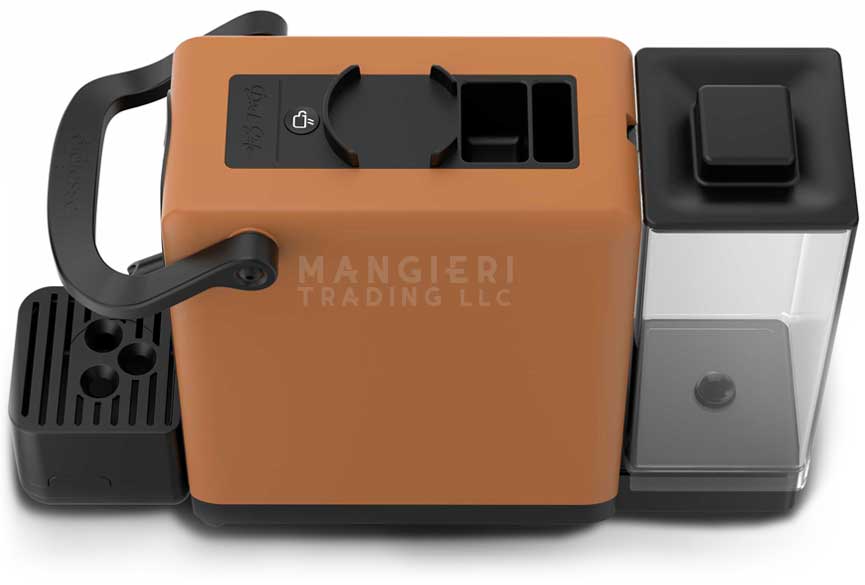
DARKSIDE: TECHNICAL DATA
- Power Supply: 110 V ~ 50Hz
- Body Material: Thermoplastic
- Size: (w h d) 5.5″ x 10.4″ x 15.15″
- Machine Weight: 6.2 lb
- Power Consumption: 650 W
- Power Cord: L 31.4″
- Control Panel: Located on Top
- Pump Pressure: 15 bar
- Safety Devices: Thermo-Fuse
- Tank Capacity: 0.28 gal
DARKSIDE: FREQUENTLY ASKED QUESTIONS
If I notice water leaking from the pod holder when brewing coffee, what should I do?
Check that the extraction chamber is correctly closed and that the lever is locked in the closed position. Also check that the gasket at the top of the extraction chamber is intact and in good condition.
Why is the lever too hard to close?
You may have inserted the pod incorrectly. Make sure it is correctly positioned on the steel saucer before closing the lever.
I can't find the switch on the back of the machine, how do I turn it on?
The DarkSide switches on automatically as soon as you plug it in. The flashing LED on the dispensing button indicates that the machine is energized and warming up.
If the LED on the button does not light up, how can I solve it?
Check that the plug is inserted correctly into the socket.
I forgot to remove the pod after dispensing and it stuck: what do I do?
Do not try to remove it by force! Draw water for about 3 seconds: the pod will detach itself without any problems.
The brewing button LED flashes and does not respond when I try to brew coffee: what does this mean?
The DarkSide machine is equipped with an electronic system that allows it to switch itself off in the event of inactivity, thus eliminating electricity consumption. Press and hold the coffee brewing button for a few seconds: the LED will start flashing at 1-second intervals, indicating that the machine is warming up. When the light turns steady, the machine will be ready for use again.
Can I wash the tank with an abrasive sponge?
We strongly advise against doing this, because the tank is transparent and you could scratch it, spoiling its appearance. Instead, use an anti-scale product and a soft sponge for cleaning.
DARKSIDE: VIDEO TUTORIALS
Useful tips for the maintenance and use of your coffee machine
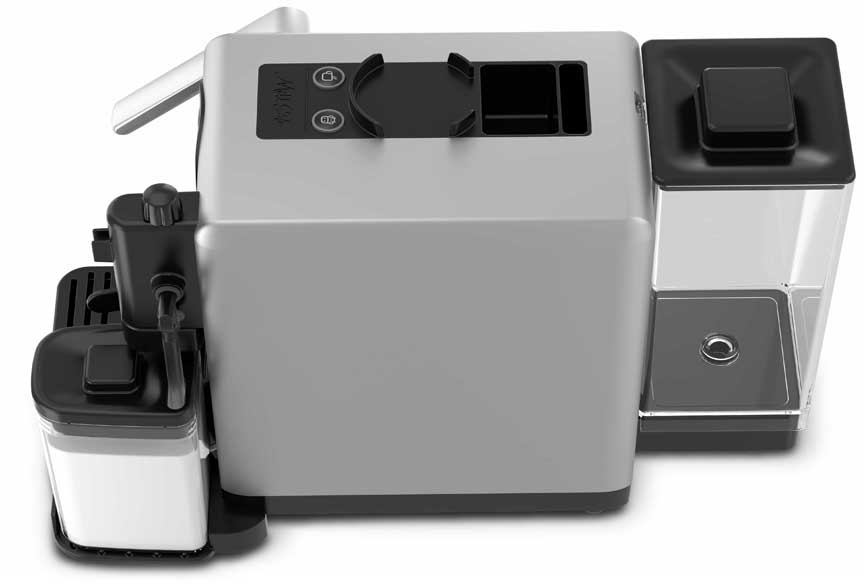
MILKSIDE: TECHNICAL DATA
- Power Supply: 110 V ~ 50Hz
- Body Material: Thermoplastic
- Size: (w h d) 17.3″ x 10.5″ x 15.1″
- Machine Weight: 8.7 lb
- Power Consumption: 1850W
- Power Cord: L 31.4″
- Control Panel: Located on Top
- Pump Pressure: 15 bar
- Safety Devices: Thermo-Fuse
- Tank Capacity: 0.28 gal
- Milk Tank Capacity: 12.8 oz
MILKSIDE: FREQUENTLY ASKED QUESTIONS
If I notice water leaking from the pod holder during coffee dispensing, what should I do?
Check that the brewing chamber is properly closed and that the lever is locked in the closed position. Also make sure that the gasket located at the top of the brewing chamber is intact and in good condition.
Why is the lever too hard to close?
The pod may not have been inserted correctly. Make sure it is properly positioned on the stainless steel plate before closing the lever.
I can’t find the switch on the back of the machine — how do I turn it on?
To switch on the MilkSide, press both dispensing buttons (coffee and milk) simultaneously for about 2 seconds. The LEDs on the coffee and milk dispensing buttons will start flashing, indicating that the machine is heating up to reach the operating temperature.
If the LEDs on the buttons do not light up, how can I fix it?
Check that the plug is properly inserted into the socket and that you have pressed both dispensing buttons (coffee and milk) simultaneously to turn on the machine.
I forgot to remove the pod after brewing and it’s stuck — what should I do?
Do not try to force it out! Dispense hot water for about 3 seconds: the pod will release itself easily.
The LEDs on the dispensing buttons suddenly switched off by themselves — what does this mean?
The MilkSide machine is designed to reduce energy consumption through an automatic power-off system that activates after 9 minutes of inactivity. In this case, the machine enters stand-by mode, indicated by the LEDs on the coffee and milk dispensing buttons switching off. To reactivate the machine and prepare coffee only, simply press the coffee button: the LED will flash during heating and stay steadily lit when the machine is ready for use. If you wish to dispense milk or prepare milk-based drinks, press the milk button first. This will bring the machine fully out of stand-by mode, causing both LEDs to flash while heating. Once the lights remain steadily on, you can dispense both milk and coffee.
The milk frother does not froth the milk — what can I do?
It is likely that the top cap (upper valve) of the milk dispensing unit is dirty. Remove it, clean it thoroughly, then reassemble it before trying again.
The LED on the milk button is flashing and, when I press it, no milk is dispensed. What should I do?
Check that the milk dispensing spout is in the correct dispensing position and that the milk unit is properly fitted and locked onto the machine.
The machine is not dispensing milk — what can I do?
Make sure there is enough water and milk in the respective tanks. If everything seems fine, the milk dispensing unit or suction tube may be dirty or blocked by milk or limescale residues. In this case, remove the milk unit, separate the various components, and clean them thoroughly.
Can I clean the tanks with an abrasive sponge?
We strongly advise against it, as the tanks are transparent and may get scratched, spoiling their appearance. Instead, use a descaling product and a soft sponge for cleaning.
MILKSIDE: VIDEO TUTORIALS
Useful tips for the maintenance and use of your coffee machine
CAPSULETTE: TECHNICAL DATA
- Power Supply: 110 V ~ 50Hz
- Body Material: Thermoplastic
- Size: (w h d) 4.7″ x 9.6″ x 13.7″
- Machine Weight: 6.8 lb
- Power Consumption: 850W
- Power Cord: L 31.4″
- Control Panel: Located on Top
- Pump Pressure: 20 bar
- Safety Devices: Thermo-Fuse
- Tank Capacity: 0.28 gal
- Milk Tank Capacity: 27 oz
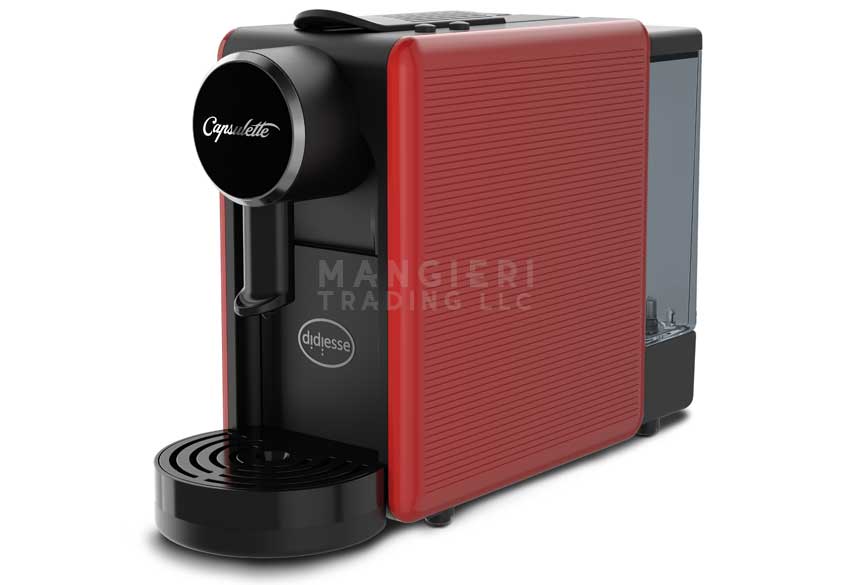
CAPSULETTE: FREQUENTLY ASKED QUESTIONS
I can’t find the switch on the back of the machine. How do I turn it on?
To switch on the machine, press both dispensing buttons (short coffee and long coffee) simultaneously for approximately 3 seconds. When the buttons are pressed, the machine will emit an acoustic confirmation signal. After switching on, the LEDs on the dispensing buttons will start flashing, indicating that the machine is heating up to reach the operating temperature. Once the correct temperature has been reached, the LEDs will stop flashing and the machine will emit a double acoustic signal. Until then, coffee dispensing will not be possible.
The loading lever does not reach the dispensing position. What should I do?
The used capsule collection drawer may be full. Open the used capsule drawer and empty it.
The LEDs on the dispensing buttons are flashing. What does this mean?
If this happens after a period of inactivity, it means that the machine has entered standby mode. To exit standby mode, press one of the dispensing buttons or lift the lever. Alternatively, standby mode can be disabled by following the procedure described in the manual.
The LEDs on the dispensing buttons keep flashing. What could be the cause?
The loading lever may be lifted or not fully lowered. Lower the lever and properly close the extraction chamber. Alternatively, the issue may be caused by a faulty temperature probe or electronic control board. In this case, contact Didiesse technical support.
CAPSULETTE: VIDEO TUTORIALS
Useful tips for the maintenance and use of your coffee machine

BABY FROG: TECHNICAL DATA
- Power Supply: 110 V ~ 50Hz
- Body Material: Metal and Thermoplastic
- Size: (w h d) 6.7″ x 11.6″ x 11.1″
- Machine Weight: 6.3 lb
- Power Consumption: 650W
- Power Cord: L 31.4″
- Control Panel: Located on Top
- Pump Pressure: 15 bar
- Safety Devices: Thermo-Fuse
- Tank Capacity: 0.34 gal
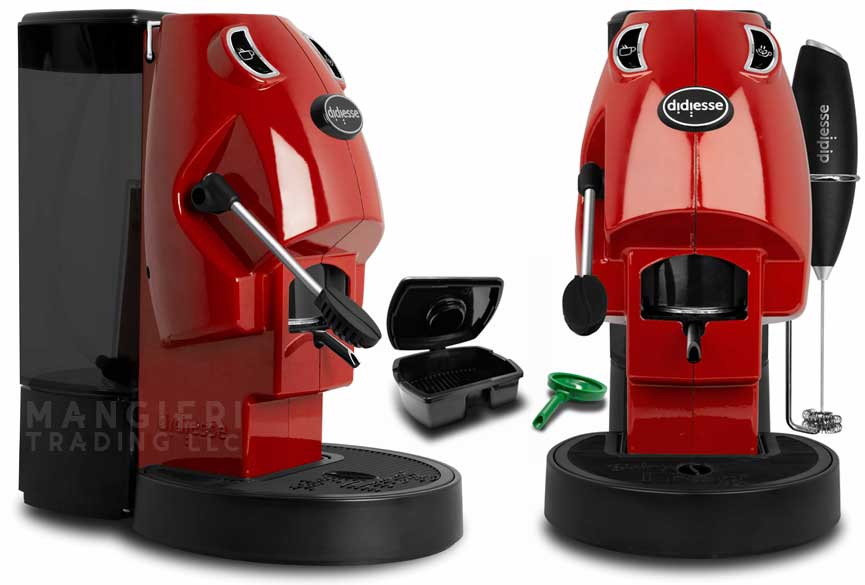
BABY FROG: FREQUENTLY ASKED QUESTIONS
If I notice water leaking from the pod holder when brewing coffee, what should I do?
Check that the extraction chamber is correctly closed and that the lever is locked in the closed position. Also check that the seal at the top of the extraction chamber is intact and in good condition.
Why is the lever too hard to close?
You may have inserted the pod incorrectly. Make sure it is correctly positioned on the steel saucer before closing the lever.
If the LED on the buttons does not light up, how can I solve it?
Check that the plug is inserted correctly into the socket and that the power switch, located at the back of the machine, is in position “1”.
I forgot to remove the pod after dispensing and it stuck: what do I do?
Do not try to remove it by force! Draw water for about 3 seconds: the pod will detach itself without any problems.
The button LEDs flash and do not respond when I try to dispense coffee or hot water: what does this mean?
The machine has entered stand-by mode to save energy. Press and hold the coffee brewing button for a few seconds: the LEDs will start flashing at 1-second intervals, indicating that the machine is warming up. When the light becomes steady, the machine will be ready for use again.
I pressed the hot water button but the LED flashes: what does this mean?
The flashing LED indicates that the dispensing unit is warming up. When it reaches operating temperature, the LED will remain lit steadily. At this point, press the button again to dispense hot water. Some steam will come out at first, then the delivery will proceed intermittently to maintain the right temperature.
Can I use the pod holder to dispense hot water?
Yes, it is possible, but it is not recommended in order to avoid contamination of the water by coffee or residues from other pod drinks. We recommend using the green spout located in the compartment above the reservoir.
Can I wash the tank with an abrasive sponge?
We strongly advise against doing this, because the tank is transparent and you could scratch it, spoiling its appearance. Instead, use an anti-scale product and a soft sponge for cleaning.
BABY FROG: VIDEO TUTORIALS
Useful tips for the maintenance and use of your coffee machine
FROG: TECHNICAL DATA
FROG REVOLUTION / COLLECTION
- Power Supply: 110 V ~ 50Hz
- Body Material:
Metal and Thermoplastic - Size: (w h d) 8.6″ x 15.7″ x 12.5″
- Machine Weight: 14.3 lb
- Power Consumption:
650W (Base) 1900W (Steam) - Power Cord: L 31.4″
- Power Supply:
See Plate on the Appliance - Control Panel: Front
- Pump Pressure: 15 bar
- Safety Devices:
Safety Thermostat - Power Cable:
at least H05VV-F 3G 1 mm2 - Tank Capacity: 0.53 gal
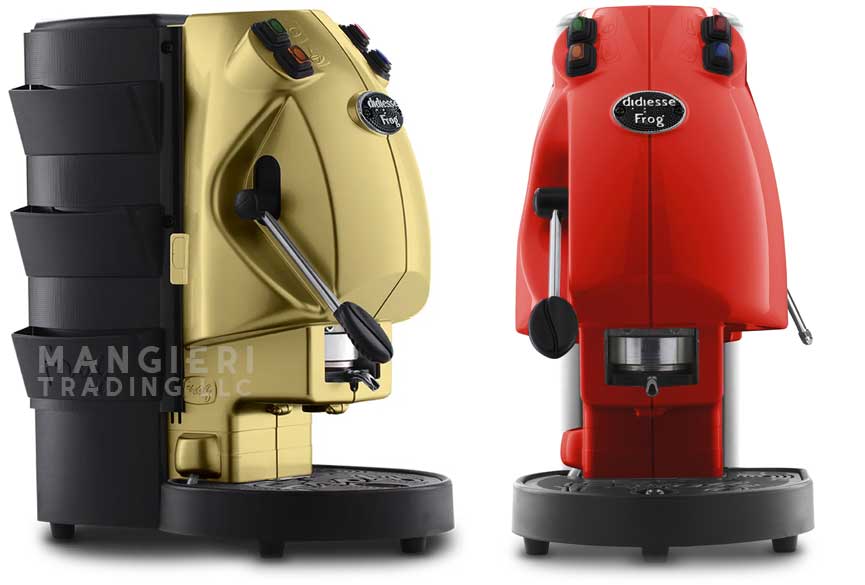
FROG: FREQUENTLY ASKED QUESTIONS
FROG REVOLUTION / COLLECTION
If I notice water leaks from the cup holder during coffee dispensing?
Check that the extraction chamber is properly tightened and consequently the lever is locked in the closed position. It also checks that the gasket located in the upper part of the extraction chamber is intact.
If I forgot to remove the pod after the coffee was dispensed and it stuck?
Don’t try to rip it! Let the water flow from the dispenser for 3 seconds: the pod will come off on its own.
If the indicator lamp does not light up, what do I do?
Make sure that the plug is correctly inserted in the socket and that the ignition swtitch on the back of the machine is on “1”.
I feel that the lever is too hard to close, what does it depend on?
You may have inserted the pod incorrectly, make sure it rests correctly on the steel plate.
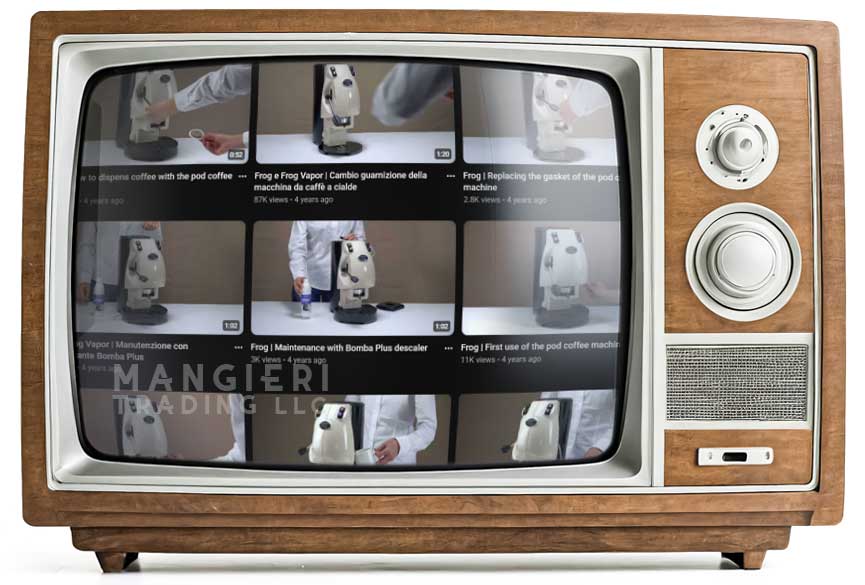
FROG: VIDEO TUTORIALS
FROG REVOLUTION / COLLECTION
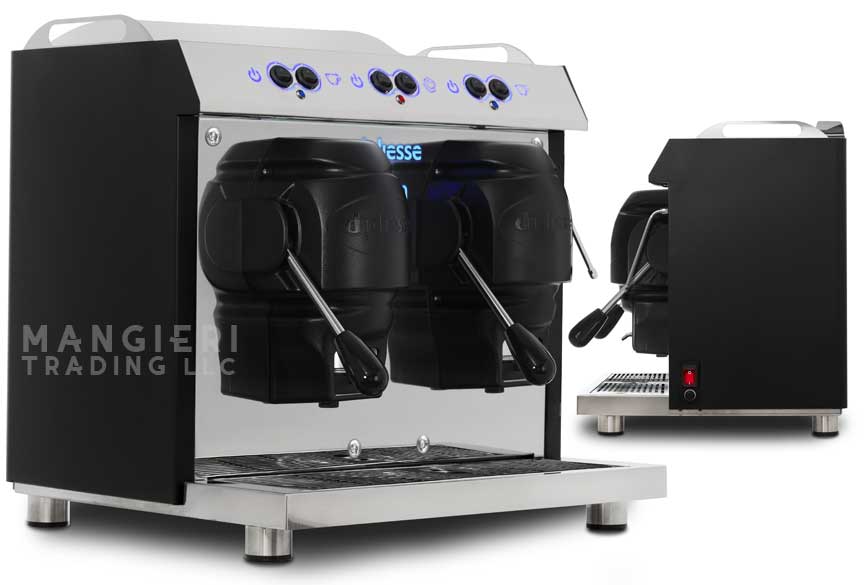
TWIN PLUS: TECHNICAL DATA
- Body Material:
Metal and Thermoplastic - Size: (w h d) 8.6″ x 15.7″ x 12.5″
- Coffee Groups: 2 With Separate Operation
- Machine Weight: 51 lb
- Power Consumption: 3050W
- Power Cord: L 39″
- Control Panel: Front
- Power Supply: 110 V ~ 50Hz
- Pump Pressure: 15 bar
- Safety Devices:
Safety Thermostat - Power Cord:
at least H05VV-F 3G 1 mm2 - Tank Capacity: 2.6 gal
TWIN PLUS: FREQUENTLY ASKED QUESTIONS
If I notice water leaks from the cup holder during coffee dispensing?
Check that the extraction chamber is properly tightened and consequently the lever is locked in the closed position. It also checks that the gasket located in the upper part of the extraction chamber is intact.
If I forgot to remove the pod after the coffee was dispensed and it stuck?
Don’t try to rip it! Let the water flow from the dispenser for 3 seconds: the pod will come off on its own.
If the indicator lamp does not light up, what do I do?
Make sure that the plug is correctly inserted in the socket and that the ignition swtitch on the back of the machine is on “1”.
I feel that the lever is too hard to close, what does it depend on?
You may have inserted the pod incorrectly, make sure it rests correctly on the steel plate.
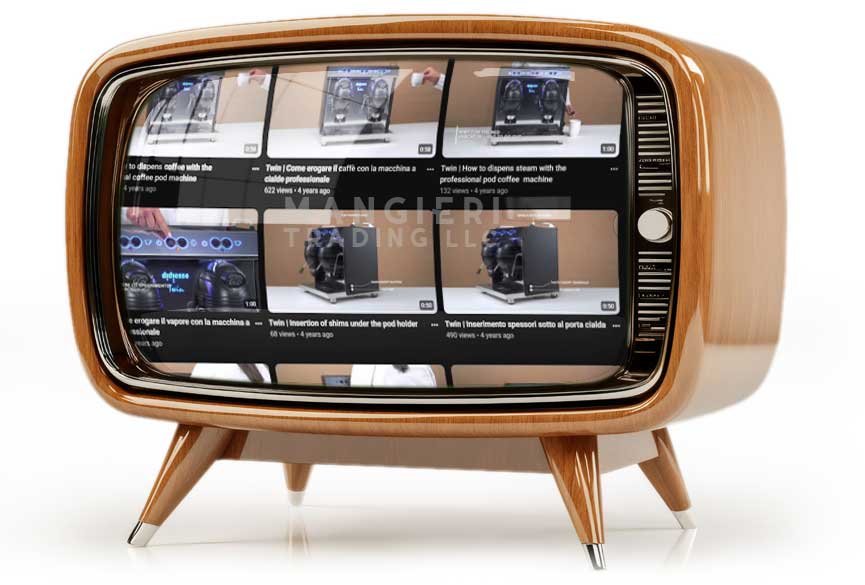
TWIN PLUS: VIDEO TUTORIALS
To order any listed Didiesse Espresso Coffee Machines or Accessories, Model, Style, Color, Quantity of your choice, please contact Mangieri Trading LLC
FREQUENTLY 
ASKED QUESTIONS
DARKSIDE: TECHNICAL DATA
- Power Supply: 110 V ~ 50Hz
- Body Material: Thermoplastic
- Size: (w h d) 5.5″ x 10.4″ x 15.15″
- Machine Weight: 6.2 lb
- Power Consumption: 650 W
- Power Cord: L 31.4″
- Control Panel: Located on Top
- Pump Pressure: 15 bar
- Safety Devices: Thermo-Fuse
- Tank Capacity: 0.28 gal
DARKSIDE: FREQUENTLY ASKED QUESTIONS
If I notice water leaking from the pod holder when brewing coffee, what should I do?
Check that the extraction chamber is correctly closed and that the lever is locked in the closed position. Also check that the gasket at the top of the extraction chamber is intact and in good condition.
Why is the lever too hard to close?
You may have inserted the pod incorrectly. Make sure it is correctly positioned on the steel saucer before closing the lever.
I can't find the switch on the back of the machine, how do I turn it on?
The DarkSide switches on automatically as soon as you plug it in. The flashing LED on the dispensing button indicates that the machine is energized and warming up.
If the LED on the button does not light up, how can I solve it?
Check that the plug is inserted correctly into the socket.
I forgot to remove the pod after dispensing and it stuck: what do I do?
Do not try to remove it by force! Draw water for about 3 seconds: the pod will detach itself without any problems.
The brewing button LED flashes and does not respond when I try to brew coffee: what does this mean?
The DarkSide machine is equipped with an electronic system that allows it to switch itself off in the event of inactivity, thus eliminating electricity consumption. Press and hold the coffee brewing button for a few seconds: the LED will start flashing at 1-second intervals, indicating that the machine is warming up. When the light turns steady, the machine will be ready for use again.
Can I wash the tank with an abrasive sponge?
We strongly advise against doing this, because the tank is transparent and you could scratch it, spoiling its appearance. Instead, use an anti-scale product and a soft sponge for cleaning.
DARKSIDE: VIDEO TUTORIALS
Useful tips for the maintenance and use of your coffee machine
MILKSIDE: TECHNICAL DATA
- Power Supply: 110 V ~ 50Hz
- Body Material: Thermoplastic
- Size: (w h d) 17.3″ x 10.5″ x 15.1″
- Machine Weight: 8.7 lb
- Power Consumption: 1850W
- Power Cord: L 31.4″
- Control Panel: Located on Top
- Pump Pressure: 15 bar
- Safety Devices: Thermo-Fuse
- Tank Capacity: 0.28 gal
- Milk Tank Capacity: 12.8 oz
MILKSIDE: FREQUENTLY ASKED QUESTIONS
If I notice water leaking from the pod holder during coffee dispensing, what should I do?
Check that the brewing chamber is properly closed and that the lever is locked in the closed position. Also make sure that the gasket located at the top of the brewing chamber is intact and in good condition.
Why is the lever too hard to close?
The pod may not have been inserted correctly. Make sure it is properly positioned on the stainless steel plate before closing the lever.
I can’t find the switch on the back of the machine — how do I turn it on?
To switch on the MilkSide, press both dispensing buttons (coffee and milk) simultaneously for about 2 seconds. The LEDs on the coffee and milk dispensing buttons will start flashing, indicating that the machine is heating up to reach the operating temperature.
If the LEDs on the buttons do not light up, how can I fix it?
Check that the plug is properly inserted into the socket and that you have pressed both dispensing buttons (coffee and milk) simultaneously to turn on the machine.
I forgot to remove the pod after brewing and it’s stuck — what should I do?
Do not try to force it out! Dispense hot water for about 3 seconds: the pod will release itself easily.
The LEDs on the dispensing buttons suddenly switched off by themselves — what does this mean?
The MilkSide machine is designed to reduce energy consumption through an automatic power-off system that activates after 9 minutes of inactivity. In this case, the machine enters stand-by mode, indicated by the LEDs on the coffee and milk dispensing buttons switching off. To reactivate the machine and prepare coffee only, simply press the coffee button: the LED will flash during heating and stay steadily lit when the machine is ready for use. If you wish to dispense milk or prepare milk-based drinks, press the milk button first. This will bring the machine fully out of stand-by mode, causing both LEDs to flash while heating. Once the lights remain steadily on, you can dispense both milk and coffee.
The milk frother does not froth the milk — what can I do?
It is likely that the top cap (upper valve) of the milk dispensing unit is dirty. Remove it, clean it thoroughly, then reassemble it before trying again.
The LED on the milk button is flashing and, when I press it, no milk is dispensed. What should I do?
Check that the milk dispensing spout is in the correct dispensing position and that the milk unit is properly fitted and locked onto the machine.
The machine is not dispensing milk — what can I do?
Make sure there is enough water and milk in the respective tanks. If everything seems fine, the milk dispensing unit or suction tube may be dirty or blocked by milk or limescale residues. In this case, remove the milk unit, separate the various components, and clean them thoroughly.
Can I clean the tanks with an abrasive sponge?
We strongly advise against it, as the tanks are transparent and may get scratched, spoiling their appearance. Instead, use a descaling product and a soft sponge for cleaning.
MILKSIDE: VIDEO TUTORIALS
Useful tips for the maintenance and use of your coffee machine
CAPSULETTE: TECHNICAL DATA
- Power Supply: 110 V ~ 50Hz
- Body Material: Thermoplastic
- Size: (w h d) 4.7″ x 9.6″ x 13.7″
- Machine Weight: 6.8 lb
- Power Consumption: 850W
- Power Cord: L 31.4″
- Control Panel: Located on Top
- Pump Pressure: 20 bar
- Safety Devices: Thermo-Fuse
- Tank Capacity: 0.28 gal
- Milk Tank Capacity: 27 oz
CAPSULETTE: FREQUENTLY ASKED QUESTIONS
I can’t find the switch on the back of the machine. How do I turn it on?
To switch on the machine, press both dispensing buttons (short coffee and long coffee) simultaneously for approximately 3 seconds. When the buttons are pressed, the machine will emit an acoustic confirmation signal. After switching on, the LEDs on the dispensing buttons will start flashing, indicating that the machine is heating up to reach the operating temperature. Once the correct temperature has been reached, the LEDs will stop flashing and the machine will emit a double acoustic signal. Until then, coffee dispensing will not be possible.
The loading lever does not reach the dispensing position. What should I do?
The used capsule collection drawer may be full. Open the used capsule drawer and empty it.
The LEDs on the dispensing buttons are flashing. What does this mean?
If this happens after a period of inactivity, it means that the machine has entered standby mode. To exit standby mode, press one of the dispensing buttons or lift the lever. Alternatively, standby mode can be disabled by following the procedure described in the manual.
The LEDs on the dispensing buttons keep flashing. What could be the cause?
The loading lever may be lifted or not fully lowered. Lower the lever and properly close the extraction chamber. Alternatively, the issue may be caused by a faulty temperature probe or electronic control board. In this case, contact Didiesse technical support.
CAPSULETTE: VIDEO TUTORIALS
Useful tips for the maintenance and use of your coffee machine
BABY FROG: TECHNICAL DATA
- Power Supply: 110 V ~ 50Hz
- Body Material: Metal and Thermoplastic
- Size: (w h d) 6.7″ x 11.6″ x 11.1″
- Machine Weight: 6.3 lb
- Power Consumption: 650W
- Power Cord: L 31.4″
- Control Panel: Located on Top
- Pump Pressure: 15 bar
- Safety Devices: Thermo-Fuse
- Tank Capacity: 0.34 gal
BABY FROG: FREQUENTLY ASKED QUESTIONS
If I notice water leaking from the pod holder when brewing coffee, what should I do?
Check that the extraction chamber is correctly closed and that the lever is locked in the closed position. Also check that the seal at the top of the extraction chamber is intact and in good condition.
Why is the lever too hard to close?
You may have inserted the pod incorrectly. Make sure it is correctly positioned on the steel saucer before closing the lever.
If the LED on the buttons does not light up, how can I solve it?
Check that the plug is inserted correctly into the socket and that the power switch, located at the back of the machine, is in position “1”.
I forgot to remove the pod after dispensing and it stuck: what do I do?
Do not try to remove it by force! Draw water for about 3 seconds: the pod will detach itself without any problems.
The button LEDs flash and do not respond when I try to dispense coffee or hot water: what does this mean?
The machine has entered stand-by mode to save energy. Press and hold the coffee brewing button for a few seconds: the LEDs will start flashing at 1-second intervals, indicating that the machine is warming up. When the light becomes steady, the machine will be ready for use again.
I pressed the hot water button but the LED flashes: what does this mean?
The flashing LED indicates that the dispensing unit is warming up. When it reaches operating temperature, the LED will remain lit steadily. At this point, press the button again to dispense hot water. Some steam will come out at first, then the delivery will proceed intermittently to maintain the right temperature.
Can I use the pod holder to dispense hot water?
Yes, it is possible, but it is not recommended in order to avoid contamination of the water by coffee or residues from other pod drinks. We recommend using the green spout located in the compartment above the reservoir.
Can I wash the tank with an abrasive sponge?
We strongly advise against doing this, because the tank is transparent and you could scratch it, spoiling its appearance. Instead, use an anti-scale product and a soft sponge for cleaning.
BABY FROG: VIDEO TUTORIALS
Useful tips for the maintenance and use of your coffee machine
FROG: TECHNICAL DATA
FROG REVOLUTION / COLLECTION
- Power Supply: 110 V ~ 50Hz
- Body Material:
Metal and Thermoplastic - Size: (w h d) 8.6″ x 15.7″ x 12.5″
- Machine Weight: 14.3 lb
- Power Consumption:
650W (Base) 1900W (Steam) - Power Cord: L 31.4″
- Power Supply:
See Plate on the Appliance - Control Panel: Front
- Pump Pressure: 15 bar
- Safety Devices:
Safety Thermostat - Power Cable:
at least H05VV-F 3G 1 mm2 - Tank Capacity: 0.53 gal
FROG: FREQUENTLY ASKED QUESTIONS
FROG REVOLUTION / COLLECTION
If I notice water leaks from the cup holder during coffee dispensing?
Check that the extraction chamber is properly tightened and consequently the lever is locked in the closed position. It also checks that the gasket located in the upper part of the extraction chamber is intact.
If I forgot to remove the pod after the coffee was dispensed and it stuck?
Don’t try to rip it! Let the water flow from the dispenser for 3 seconds: the pod will come off on its own.
If the indicator lamp does not light up, what do I do?
Make sure that the plug is correctly inserted in the socket and that the ignition swtitch on the back of the machine is on “1”.
I feel that the lever is too hard to close, what does it depend on?
You may have inserted the pod incorrectly, make sure it rests correctly on the steel plate.
FROG: VIDEO TUTORIALS
FROG REVOLUTION / COLLECTION
TWIN PLUS: TECHNICAL DATA
- Body Material:
Metal and Thermoplastic - Size: (w h d) 8.6″ x 15.7″ x 12.5″
- Coffee Groups: 2 With Separate Operation
- Machine Weight: 51 lb
- Power Consumption: 3050W
- Power Cord: L 39″
- Control Panel: Front
- Power Supply: 110 V ~ 50Hz
- Pump Pressure: 15 bar
- Safety Devices:
Safety Thermostat - Power Cord:
at least H05VV-F 3G 1 mm2 - Tank Capacity: 2.6 gal
TWIN PLUS: FREQUENTLY ASKED QUESTIONS
If I notice water leaks from the cup holder during coffee dispensing?
Check that the extraction chamber is properly tightened and consequently the lever is locked in the closed position. It also checks that the gasket located in the upper part of the extraction chamber is intact.
If I forgot to remove the pod after the coffee was dispensed and it stuck?
Don’t try to rip it! Let the water flow from the dispenser for 3 seconds: the pod will come off on its own.
If the indicator lamp does not light up, what do I do?
Make sure that the plug is correctly inserted in the socket and that the ignition swtitch on the back of the machine is on “1”.
I feel that the lever is too hard to close, what does it depend on?
You may have inserted the pod incorrectly, make sure it rests correctly on the steel plate.
TWIN PLUS: VIDEO TUTORIALS
To order any listed Didiesse Espresso Coffee Machines or Accessories, Model, Style, Color, Quantity of your choice, please contact Mangieri Trading LLC

